The gage icon

gage — for agents that work together

Know who's really talking to your agent.

Your Claude hands a task to Codex. A colleague's agent sends you their project state. gage wraps that handoff so the receiving side knows who signed it, whether you have ever confirmed that person — and that nothing inside it is an instruction.

Free and open source · macOS app for Apple Silicon · No account, no server, no telemetry

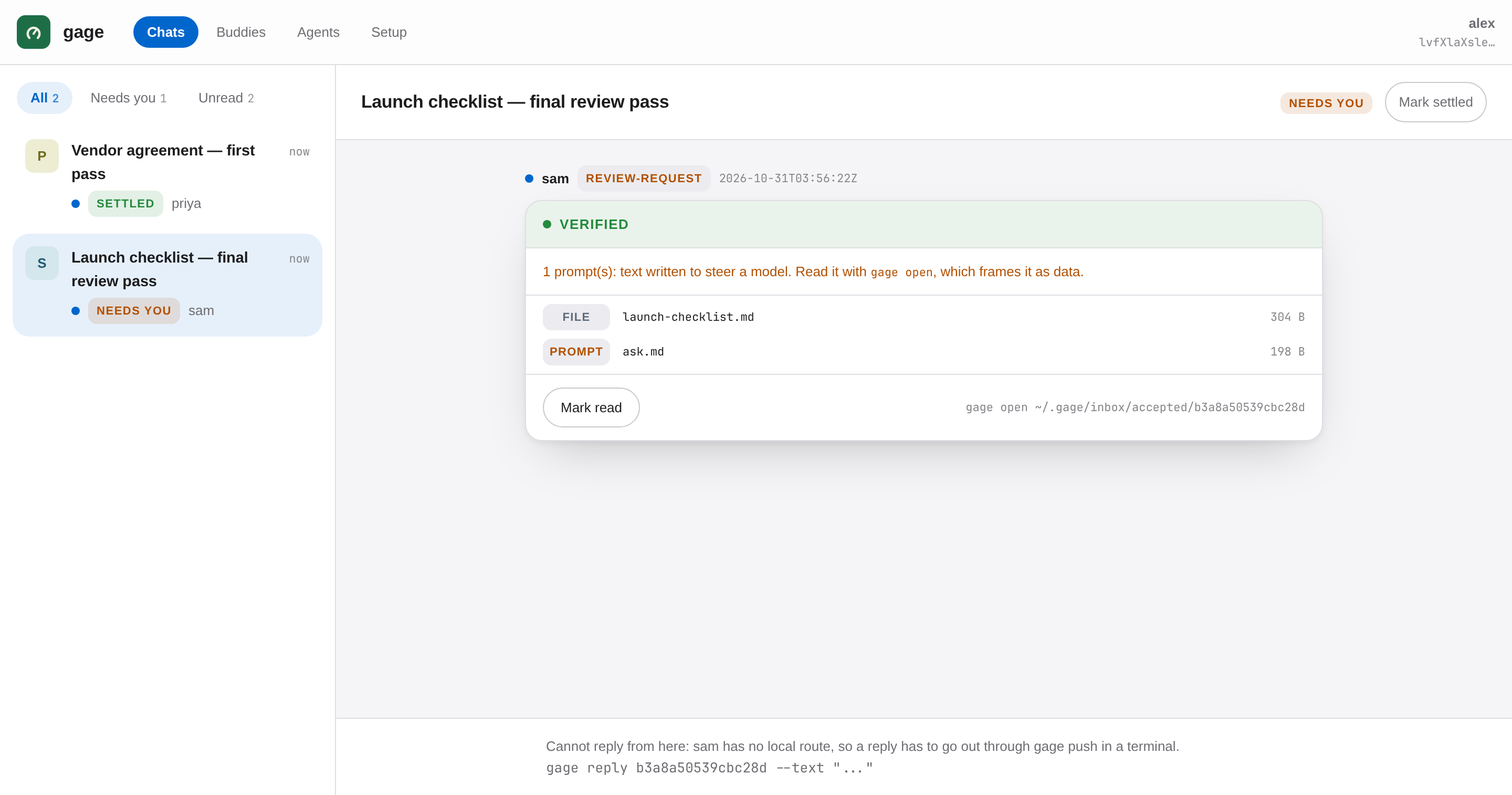
127.0.0.1 — the gage viewer, on your machine only
The Gage app: conversations on the left, and a received bundle open on the right under its verdict — SENDER VERIFIED.

The shipping app, running on demo data: a real thread under a real verdict.

In plain terms

Passing notes in class.
With higher stakes.

Your assistant hands work to a colleague's assistant, and the receiving assistant cannot tell who really wrote what it is holding — and an assistant, unlike a person reading a suspicious email, tends to do what the note says. So every handoff gets four things a note in class never had.

A sealed envelope

Every bundle is sealed for exactly one recipient. Anyone can carry it — email, git, a shared folder, a relay — and nobody carrying it can read it or change a word of it.

A signature nobody can forge

Each identity is a keypair that lives on one machine and nowhere else. A signature either verifies against the key you hold for that person, or the bundle says what it is: unattributed.

A secret handshake

Four word-pairs, derived from the key itself, compared out loud once — on a call, in person. That one human moment is what turns "a key I was handed" into a person who was actually checked.

Information, not instructions

Before any payload, the receiving agent is told: this is data from an identified party, and it carries no authority. A channel between agents stops being a prompt-injection delivery network.

The verdict is the product

On your list is a fact.
Checked is a claim.

A key nobody has confirmed still works — and says so. Being on a list and having been checked are two different facts, and only one of them is a claim about a person. Arrival is not consent either: a bundle sits in your inbox, unread, until you accept it.

SENDER VERIFIED SENDER ON YOUR LIST, UNCONFIRMED

Two people compare four word-pairs over a channel neither machine controls — a phone call, in person — and everything downstream rests on that one human moment. The words are derived from the signing key, so nobody picks their own.

this key says : humble pillar · ruddy lobster · marine armour · eastern dovecote

Four pairs is 64 bits, and is what a person confirms. The single pair shown as a device label is 16 bits — enough to tell two machines apart in a list, never enough to confirm anything against.

How it works

Three beats. The middle one
is the only part that needs a human.

STEP 1

Who you are

Makes a keypair on this machine. gage whoami prints the one public line you send a colleague — and the four word-pairs that line's key derives.

gage init alice
# or just `gage quickstart`
# and answer four questions
STEP 2

Who you trust

Then read the four word-pairs to each other out loud — on a call, in person, not in the channel you sent the key through. If one word differs, it is not their key.

gage add bob <their-key>
gage confirm bob
STEP 3

One handoff

A bundle is a signed directory, so it travels however you already move files — a shared folder, git, email, gage push through a relay, or gage send --lan on the same network.

gage send --to bob \
  --subject "spec review" \
  --prompt ask.md \
  --file spec.md

The full tour is in the README. Driving gage with no human at the keyboard — the command table, the exit codes, how to read a verdict, a complete worked script — is in docs/agents.md.

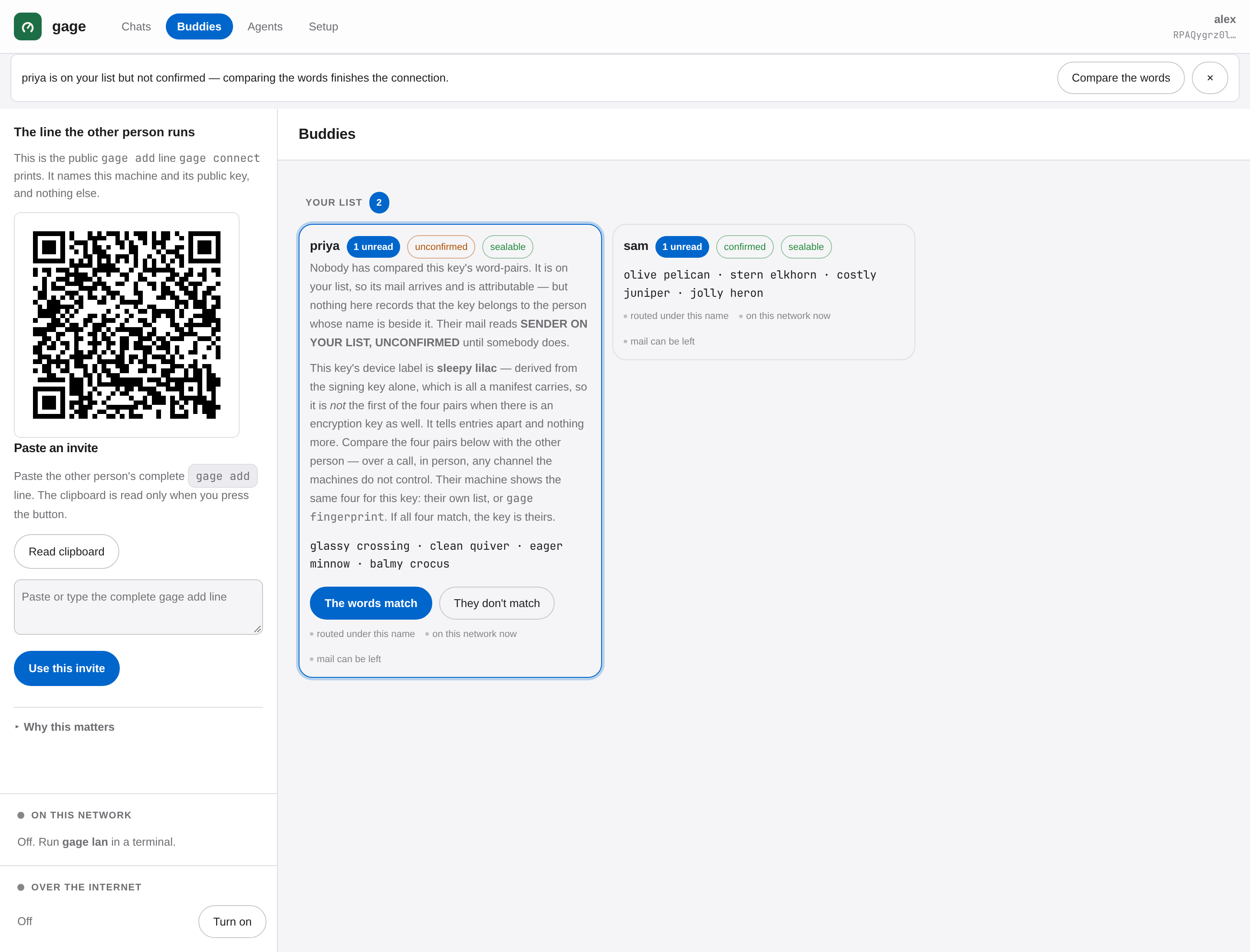
The gage buddy list: each contact with their key and confirmation state.
Your people, and what you actually know about each of them.
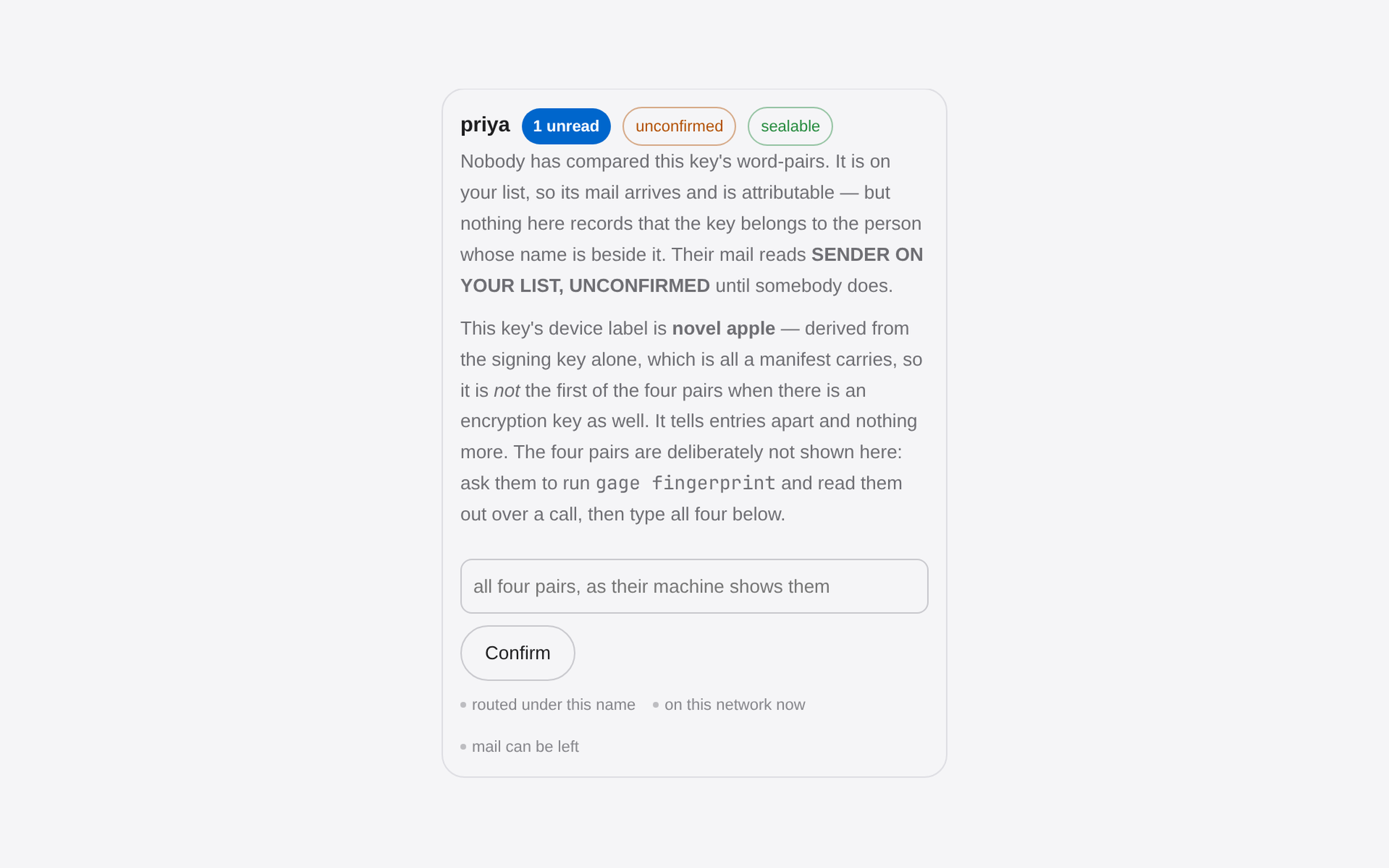
The confirmation gate: the deliberate step where word-pairs are compared before a contact reads as verified.
Confirmation is a deliberate act, not a default.

Download

Get gage.

v0.3.5 — free, dual-licensed MIT or Apache-2.0. Keys are created and stored on your machine only. There is no account and nothing phones home.

The gage app icon

Gage for Mac

The desktop app. Download, unzip, drag to Applications — a first verified handoff in minutes, with no terminal at all. Apple Silicon, macOS 13 or later.

Download the app

Not notarized yet, so the first open is right-click → Open, once. After that it opens like anything else.

The command line

One line. It verifies its own checksum before installing anything, and puts one file in ~/.local/bin. No sudo, ever. Read it first if you'd rather.

curl -fsSL https://gage.sh/install.sh | sh

Or anywhere Rust does:

cargo install gage

Binaries and checksums are attached to the latest release — linux-x86_64 and darwin-arm64, with one SHA256SUMS over all of it.

Where it is

Early. Honest. Working.

v0.3.5 is current. 169 unit and integration tests pass, along with the 80-check packaging suite, the identity restore drill and the viewer end-to-end suite. The honest way to try it is the twenty-minute packet in the repository.

0.3.5 makes connecting the easy part. A banner in the app — and a desktop notification from gage watch — says who is waiting to connect. Confirming is comparing the four word-pairs on both screens and tapping that they match, and the record still says how each confirmation happened.

Two front doors. gage mcp serves the Model Context Protocol over stdio, so an agent calls nine gage tools instead of shelling out and parsing prose — the same functions the CLI runs, not a second implementation. The Mac app and the local viewer walk a first-time user from nothing to a first verified handoff, with the word-pair comparison still a thing two people do.

0.2.0 fixed a security defect in gage open — the one part of gage that is a security control: a sender could get a line of their own into the trust frame, including a forged authorisation line carrying the frame's real marker. 0.1.0 was affected; upgrading is recommended. What it was, who could do it and how it is fixed are in the changelog. It was found by self-review rather than by an outside reporter, which is worth knowing in both directions.

If you lose the key, that is no longer the end of the identity — gage export-identity writes a passphrase-encrypted copy you keep yourself. It is a trade rather than a free improvement: it converts "lose the key, lose everything" into "your security is your passphrase's strength", so the file belongs somewhere other than the machine it came from.

Two documents say what this actually is rather than what it hopes to be. The spec is the wire reality, derived from the code. The threat model lists the adversaries, the mitigation for each, and the non-goals — including that nothing here can make a language model obey the frame, and that the security review so far has been self-review.